How to install NoLagVPN on iOS
Follow these steps to easily set up NoLagVPN on your iOS device.

This only works with Warzone Mobile
Install NoLagVPN on your iOS device
1. Open this page on your iOS device
2. Install the VPN: OpenVPN Connect
3. Go to your NoLagVPN dashboard: NoLagVPN dashboard
4. Download the VPN configuration on your iOS device
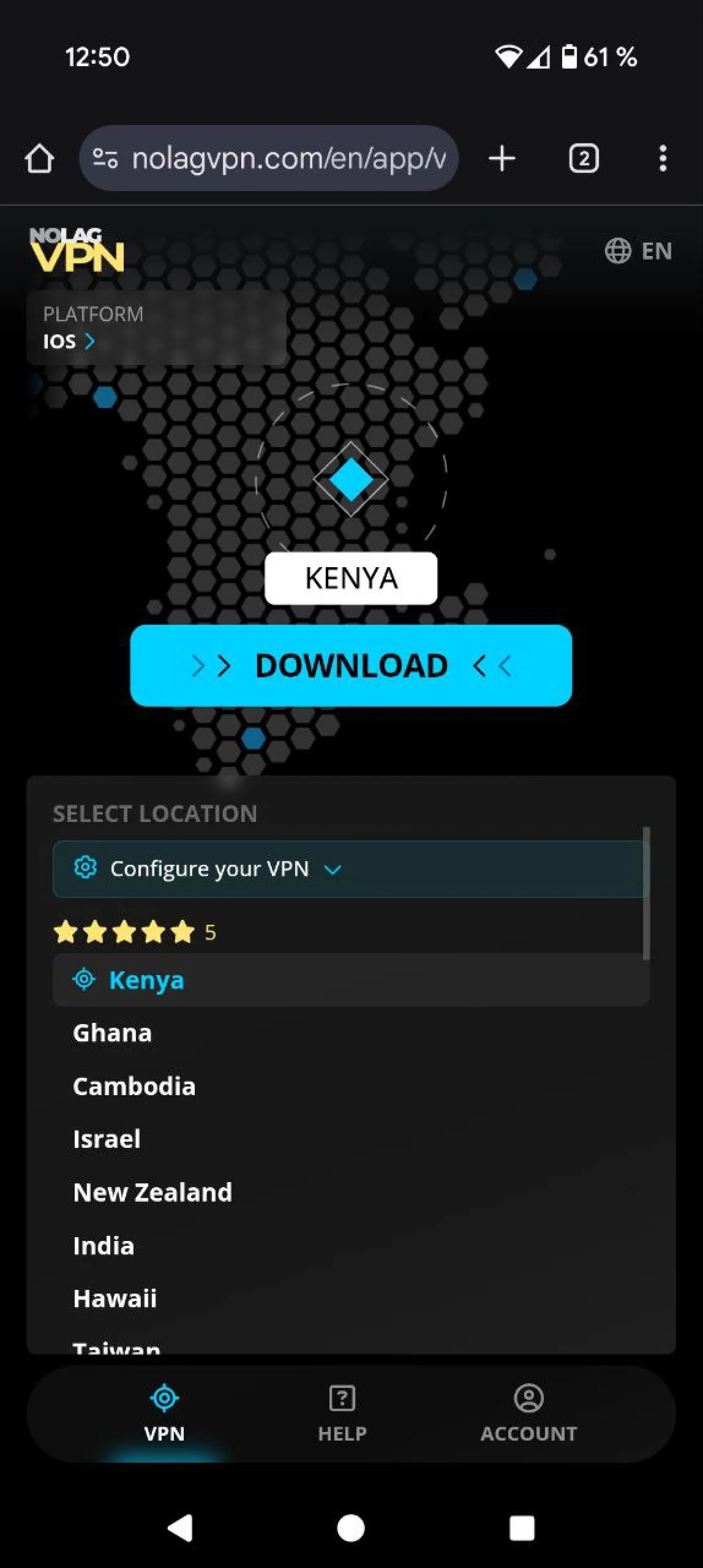
Screenshot from the dashboard
5. Open the VPN configuration in OpenVPN
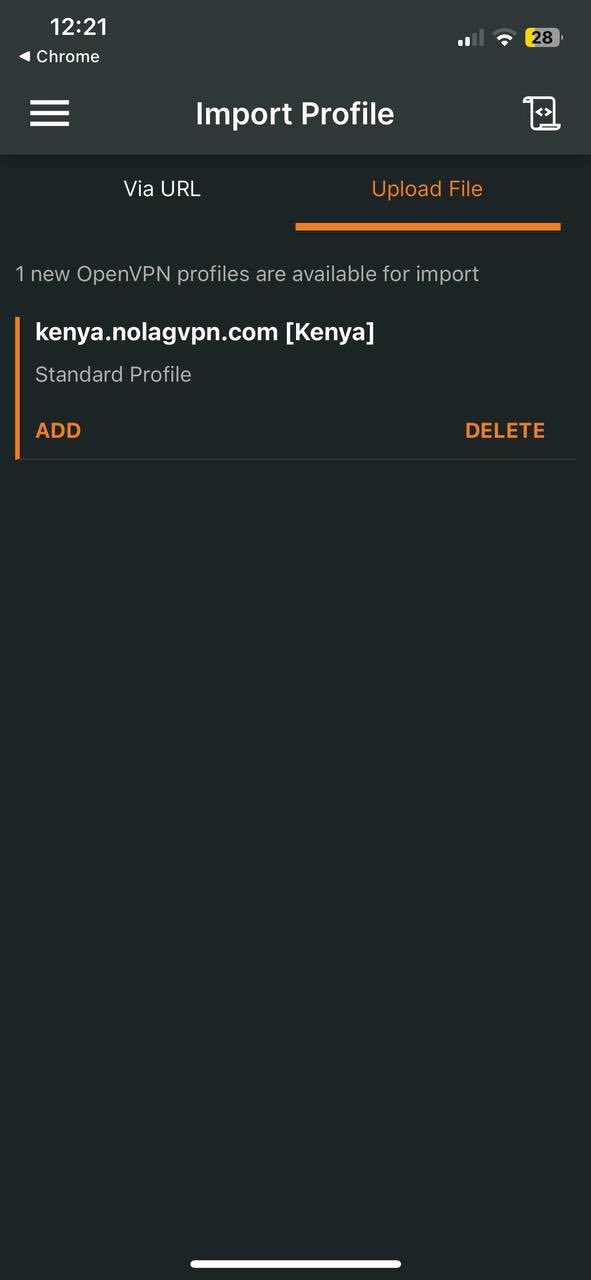
Screenshot from OpenVPN Connect
6. Connect to the desired location
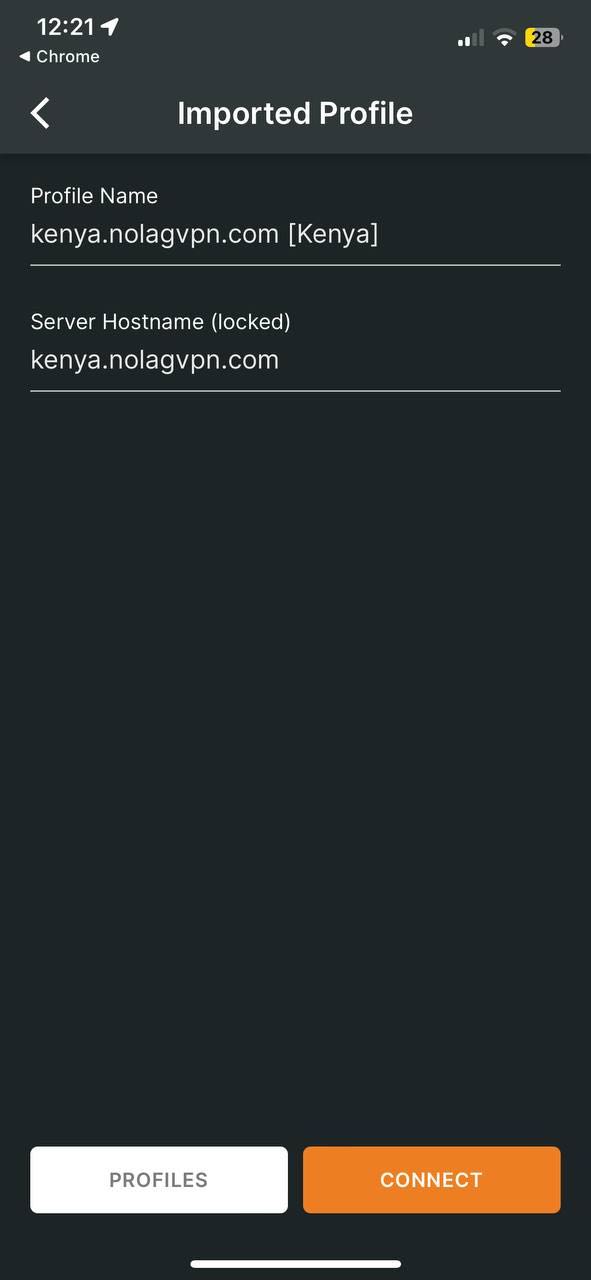
Screenshot from OpenVPN Connect
7. Allow adding VPN configurations
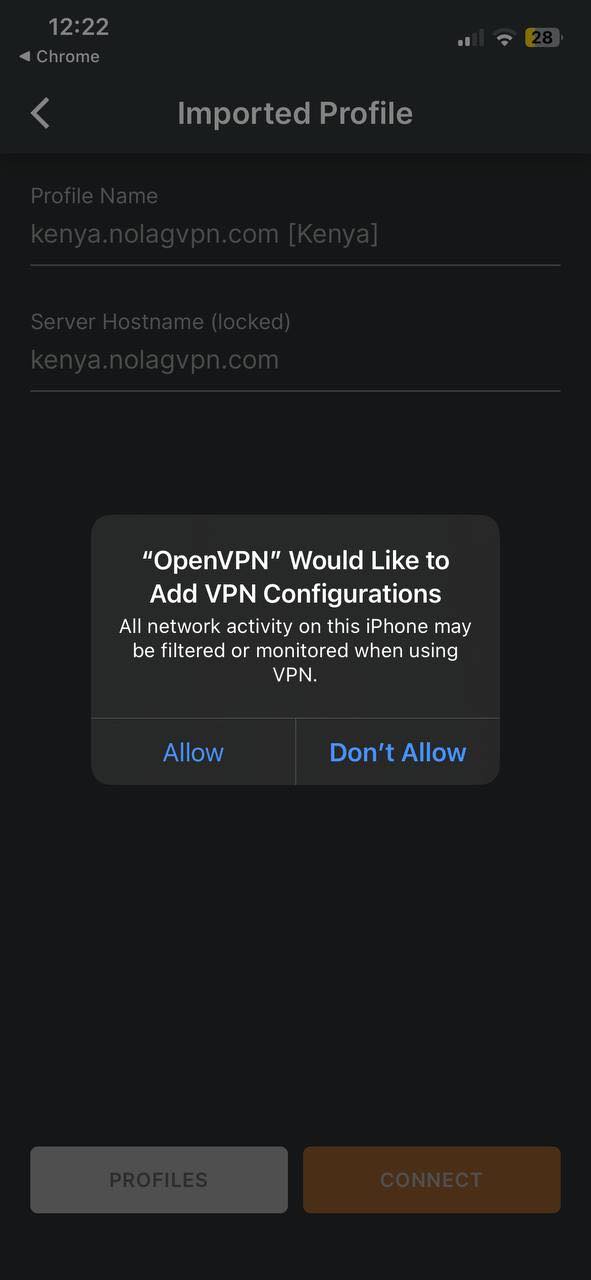
Screenshot from OpenVPN Connect
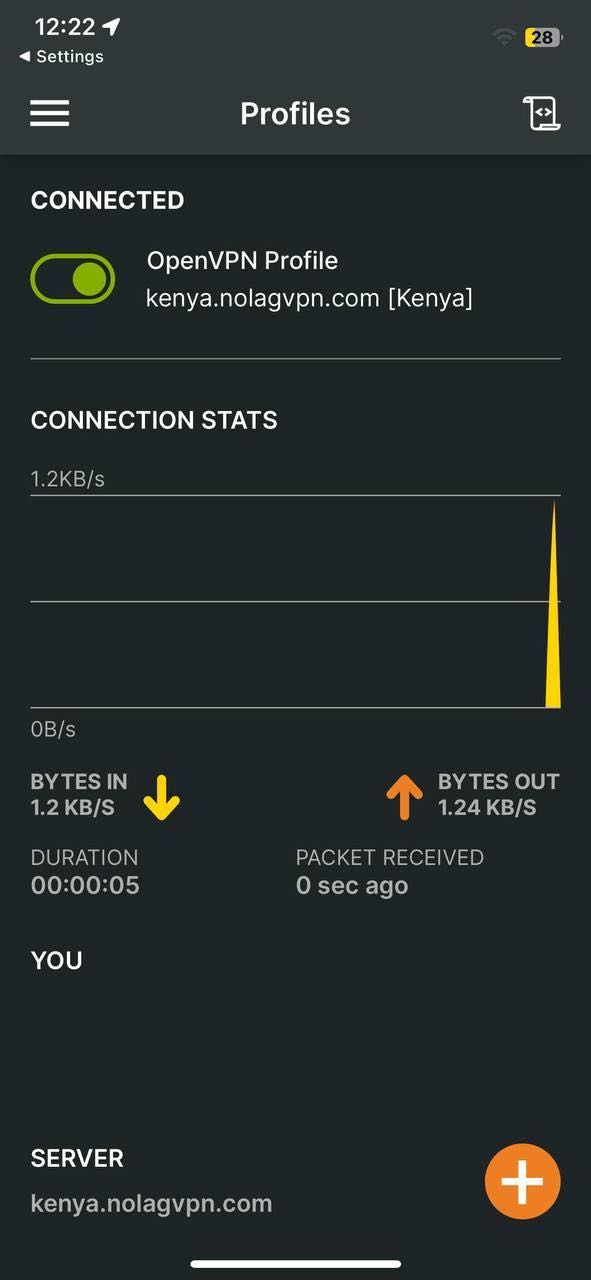
Screenshot from OpenVPN Connect
8. Launch Warzone Mobile
That's it, your iOS device is now connected through NoLagVPN!
Ready to get bot lobbies on your iOS device?