Hoe stelt u NoLagVPN in op uw router
Over het instellen van NoLagVPN op uw router
- Using a NoLagVPN with the best server locations is the simplest and most reliable way to access bot lobbies in Warzone.
- Reverse boosting, tanking stats, playing early morning or during weekdays, dropping without full squad and playing with randoms are other ways of getting into easy lobbies in Warzone.
- Playing with noob friends can also reduce the skill level of your opponents for beating your kill records!
- Combining solutions such as using a VPN or other methods mentioned above can help gain access to ultimate bot lobby experiences!
Volg deze stappen om NoLagVPN gemakkelijk op uw pc in te stellen.
Installeer NoLagVPN op uw pc
1. Download de VPN: OpenVPN Connect V3 (of OpenVPN Connect V2)
2. Ga naar je NoLagVPN-dashboard: NoLagVPN dashboard
3. Download de VPN-configuraties

Screenshot van het dashboard
4. Start OpenVPN Connect
5. Klik op "Bestand", laad vervolgens uw VPN-configuratie
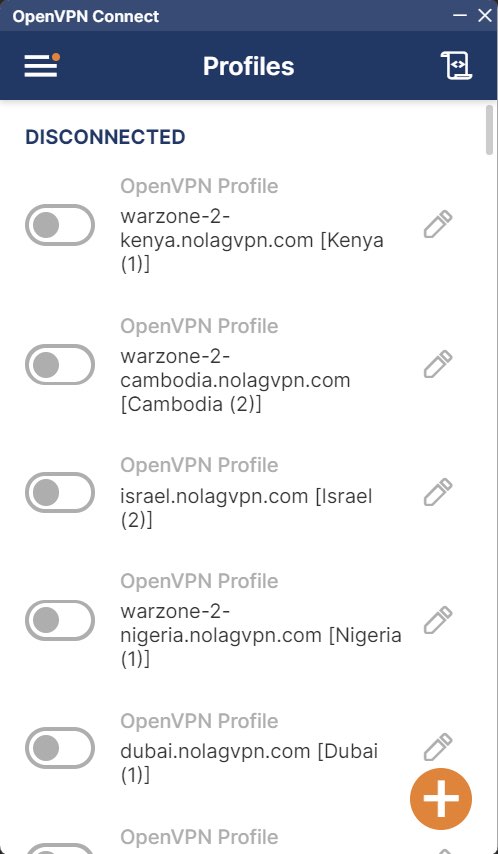
Screenshot van OpenVPN Connect
6. Verbind met de gewenste locatie
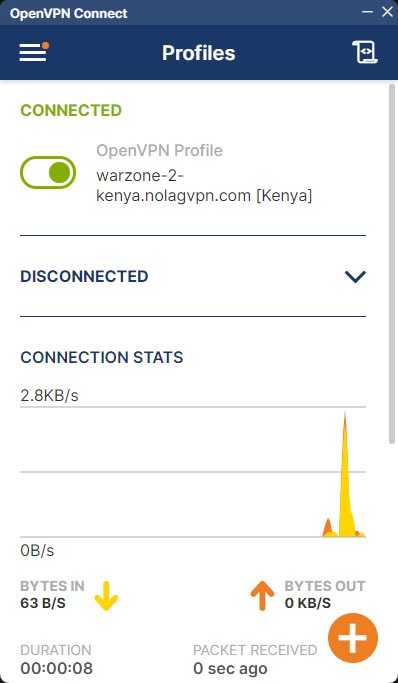
Screenshot van OpenVPN Connect
7. Start BattleNet, Steam of GamePass, daarna start Warzone
Dat is alles, uw PC is nu verbonden via NoLagVPN!
Klaar om tegen bots te spelen op je PC?